Juncture
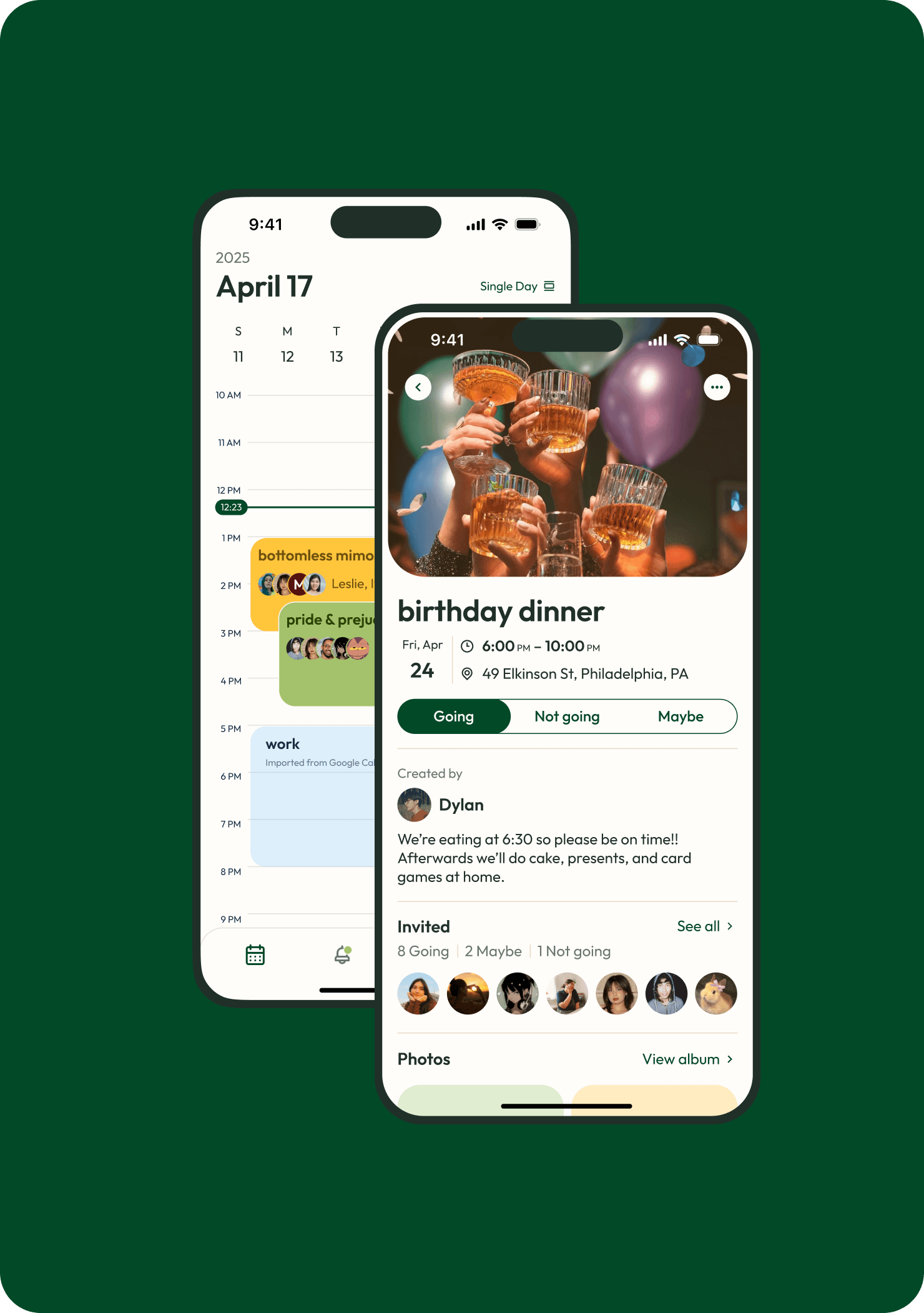
Juncture is a social calendar app that helps you automatically find the best time for everyone to hang out and keeps your social planning all in one place.
Duration
Aug 2024 - May 2025
Client
Drexel University
Services
#
Senior capstone project
#
UI/UX design
#
UX research
#
Brand strategy
The Problem
The hardest part of planning a social event tends to be finding a common time where everyone can attend.
what is juncture
Juncture is a social calendar app that helps you automatically find the best time for everyone to hang out and keeps your social planning all in one place.

my role / what i worked on
Led UX design
Established a component-based design system
Prototyped app screens
Prepared designs for dev hand-off
Supported user research
Conducted user interviews and usability testing
Synthesized data for design decisions
Developed a brand identity
Founded a core brand identity for the app
Made marketing materials to represent the Juncture brand
What juncture addresses
For our initial research process we surveyed around 100 adults, about 55% of which who were college students. From the survey, we found that event planning can be hindered by:

Difficulty finding a common free time

Communication issues when event planning

Disorganized photo sharing processes

Juncture's main features
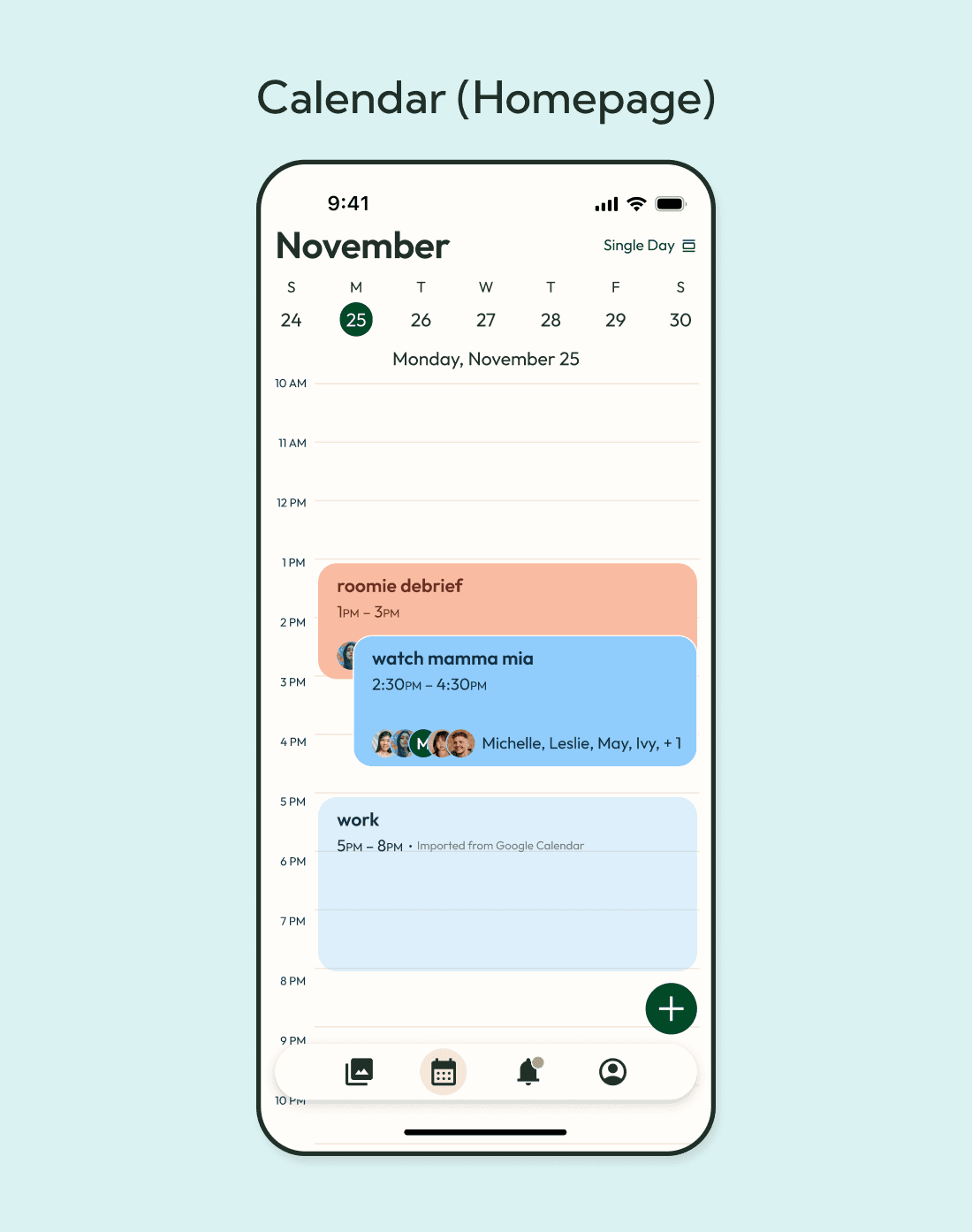
Calendar (Home)
Juncture's home page with all events
Single day, three-day, and month view
Event creation/Time selection
Set up all of the event details
Invite friends and let Juncture's time selection feature offer the best times
Invitations/Inbox
View event invitations and RSVP status
Where all event related notifications live
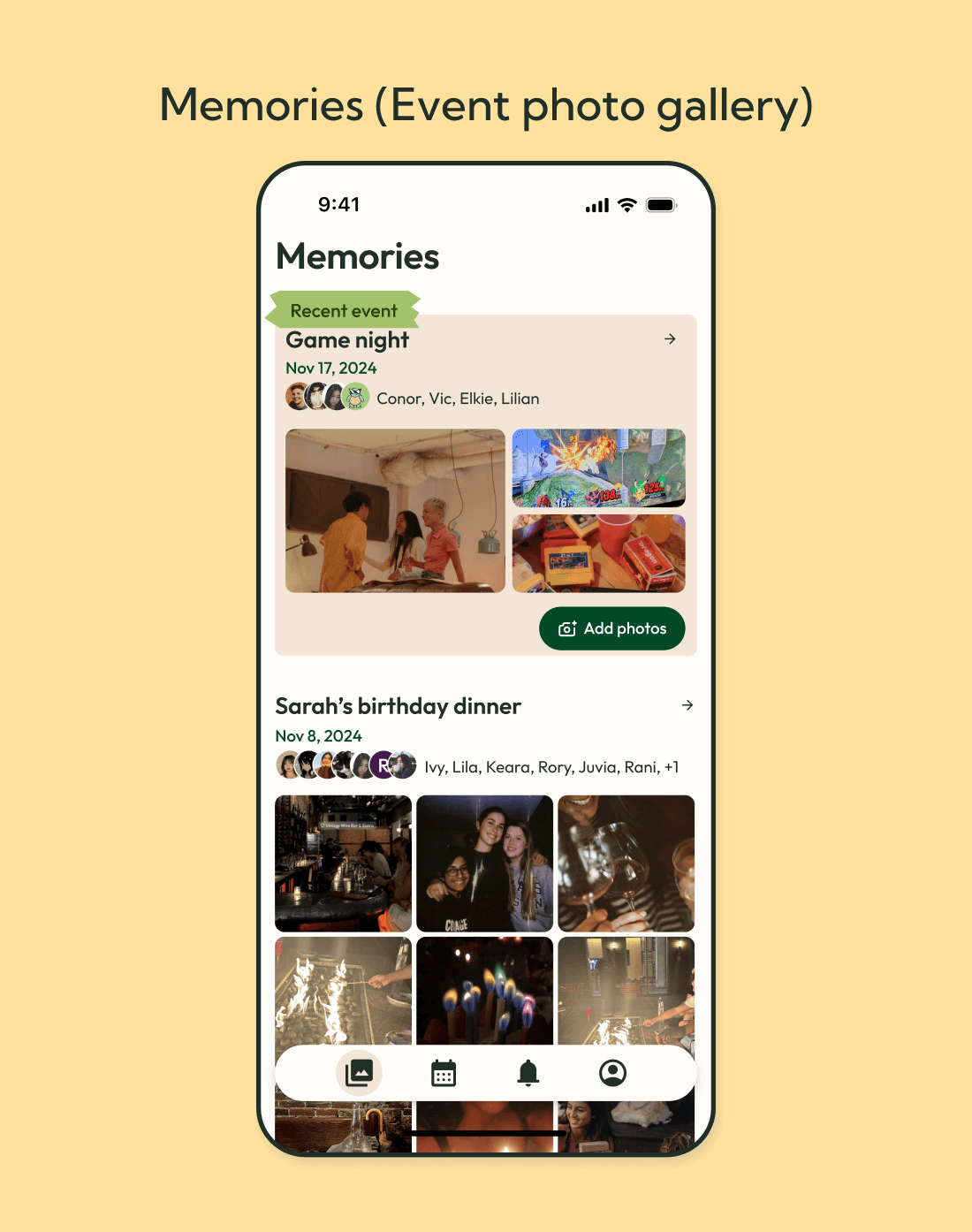
Memories/Photo upload
Each event has a photo album for everyone to upload pictures
Download photos to your local device
The core feature

Auto calendar compare
Sync your Google calendar and let Juncture find the perfect time for everyone.
Our highest priority feature goal was to design a time selector that was simple, efficient, and flexible.
UX parameters for this feature:
Every invitee has a synced google calendar to accurately reflect their availability
The user selects dates and a time range and the app provides suggested times, showing how many people are available
Toggle to change view from suggested times to a single day view showing how many people are available at a time slot

Getting to this stage took a couple of iterations
App Sketches
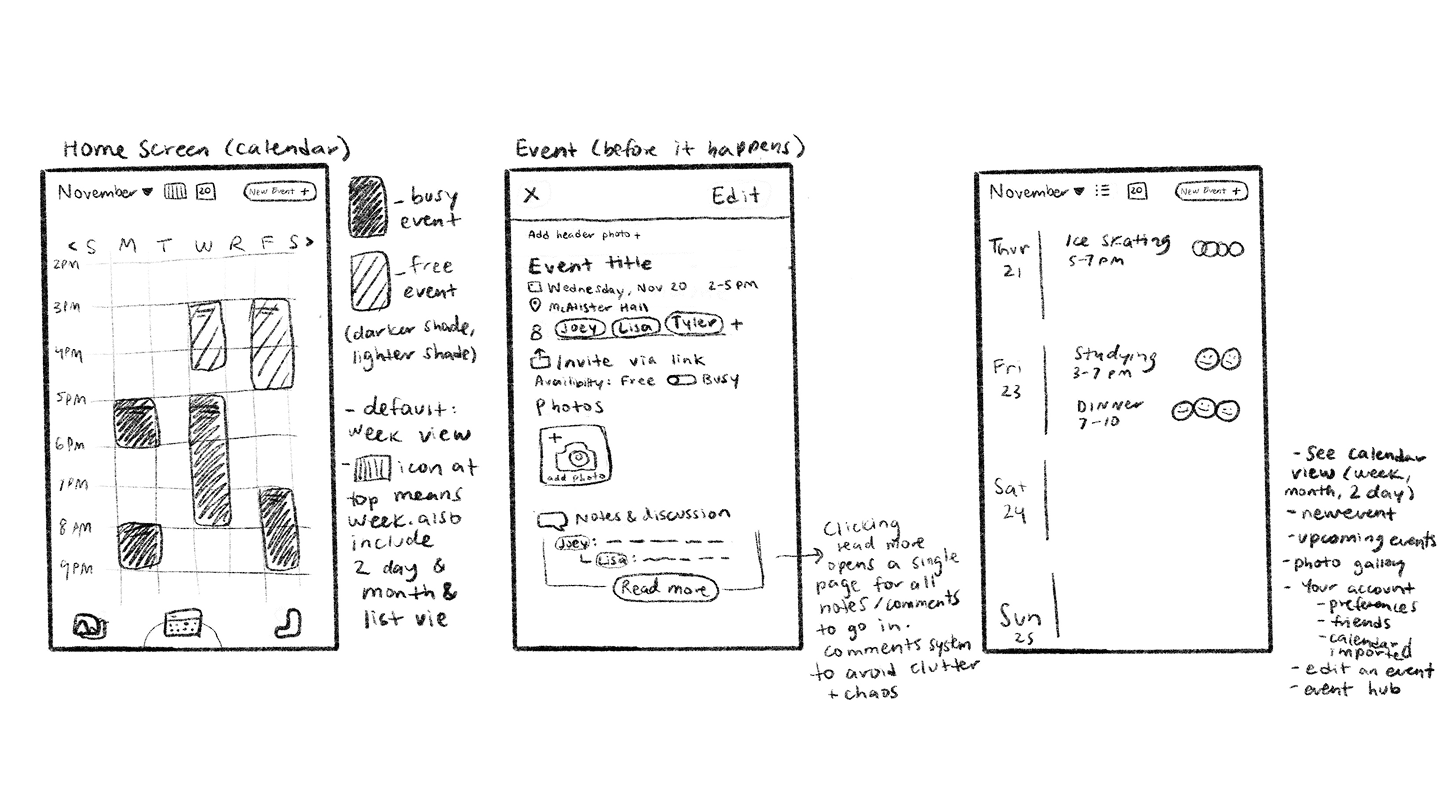
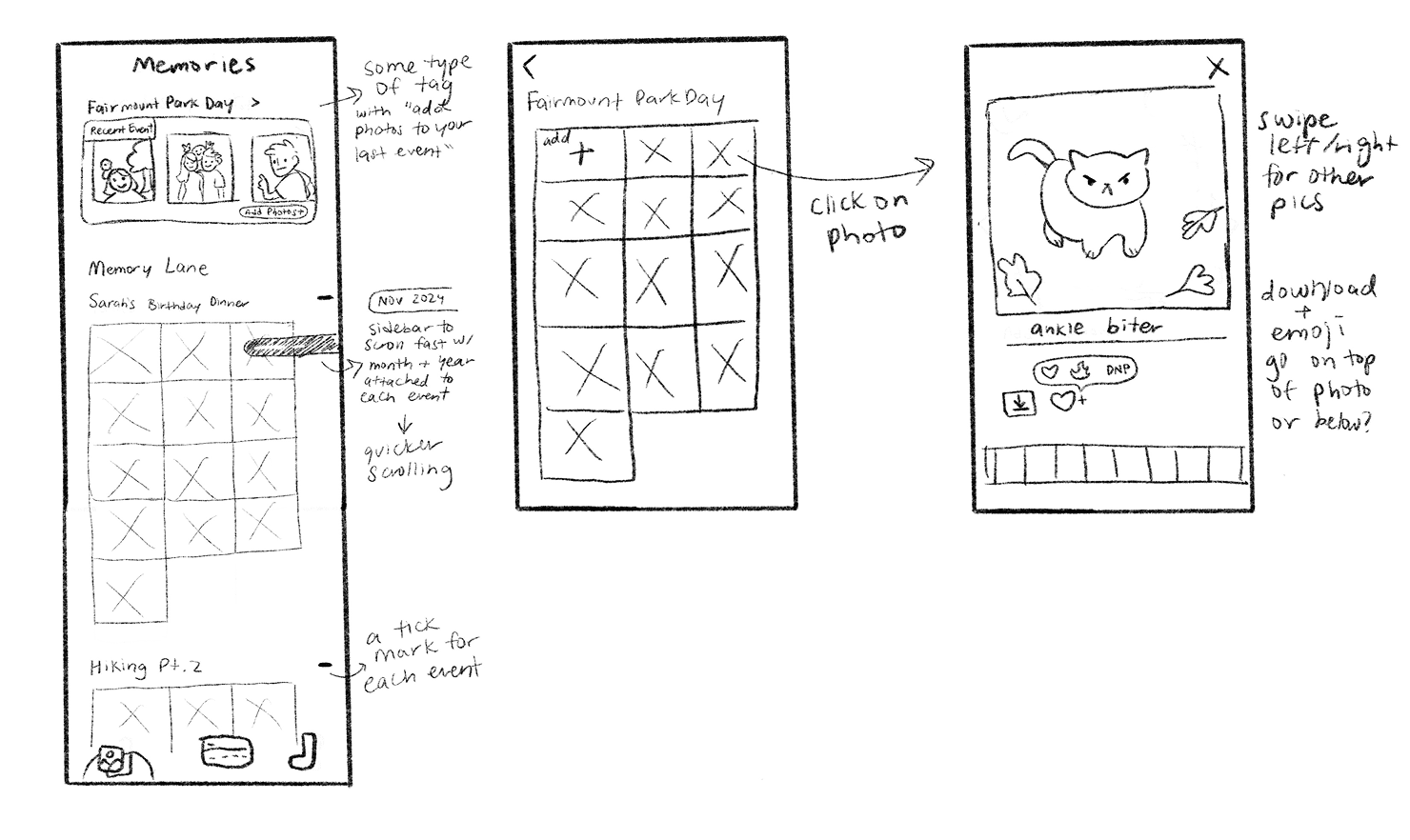
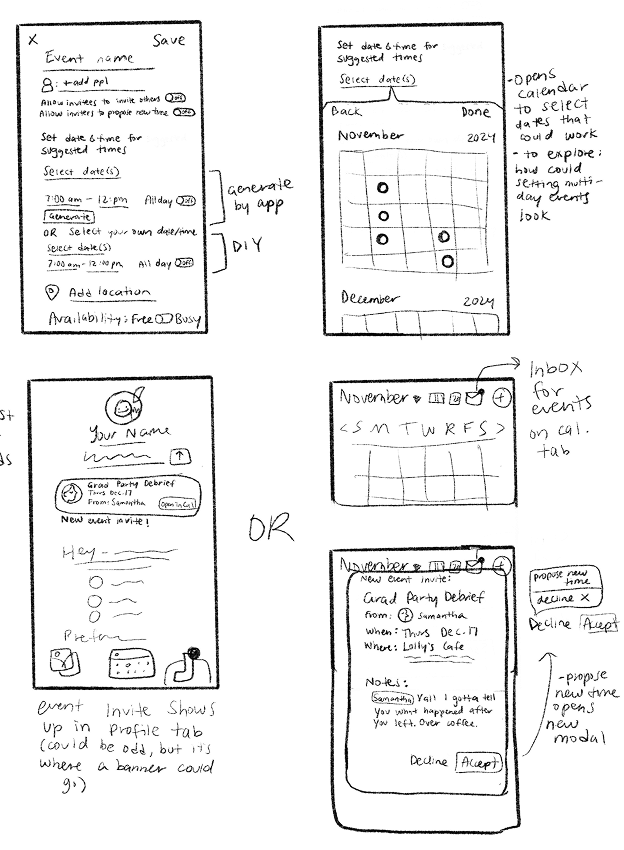
Below are a few sketches I did to visualize my initial ideas for the app. This includes a general layout for the calendar, what content is featured on the event details page, what a profile page could look like, and a high-level flow for viewing event albums.
Low Fidelity Prototype
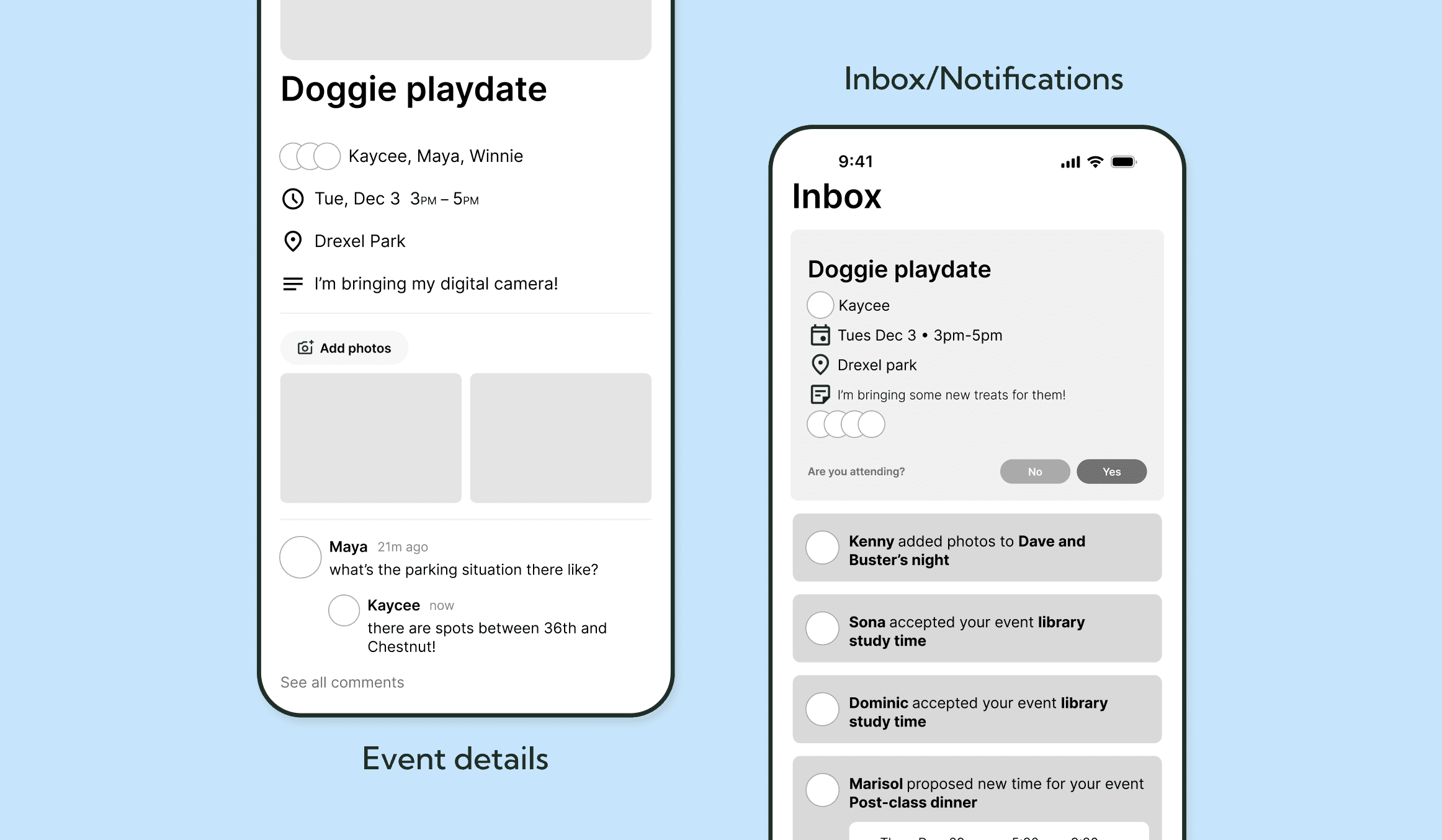
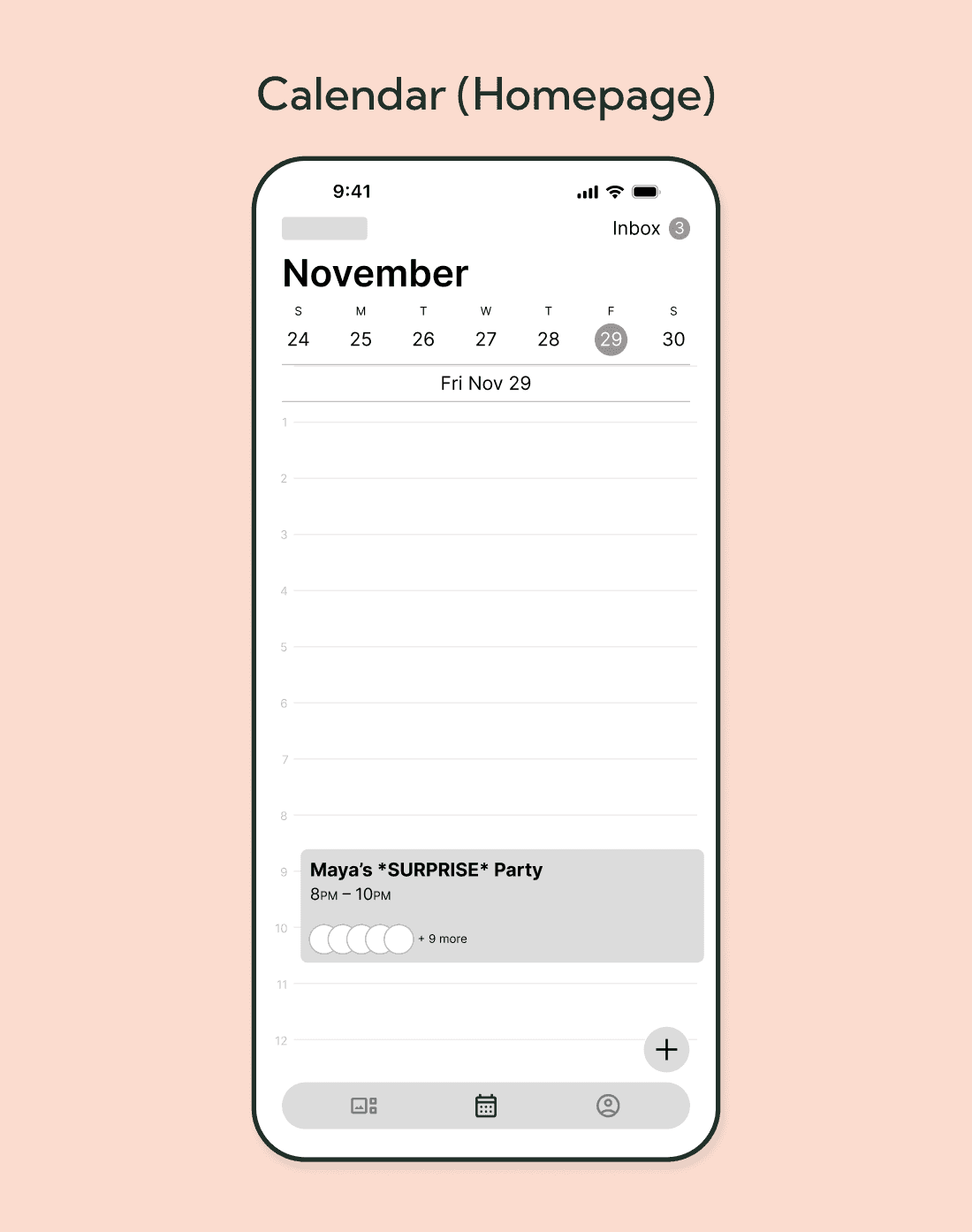
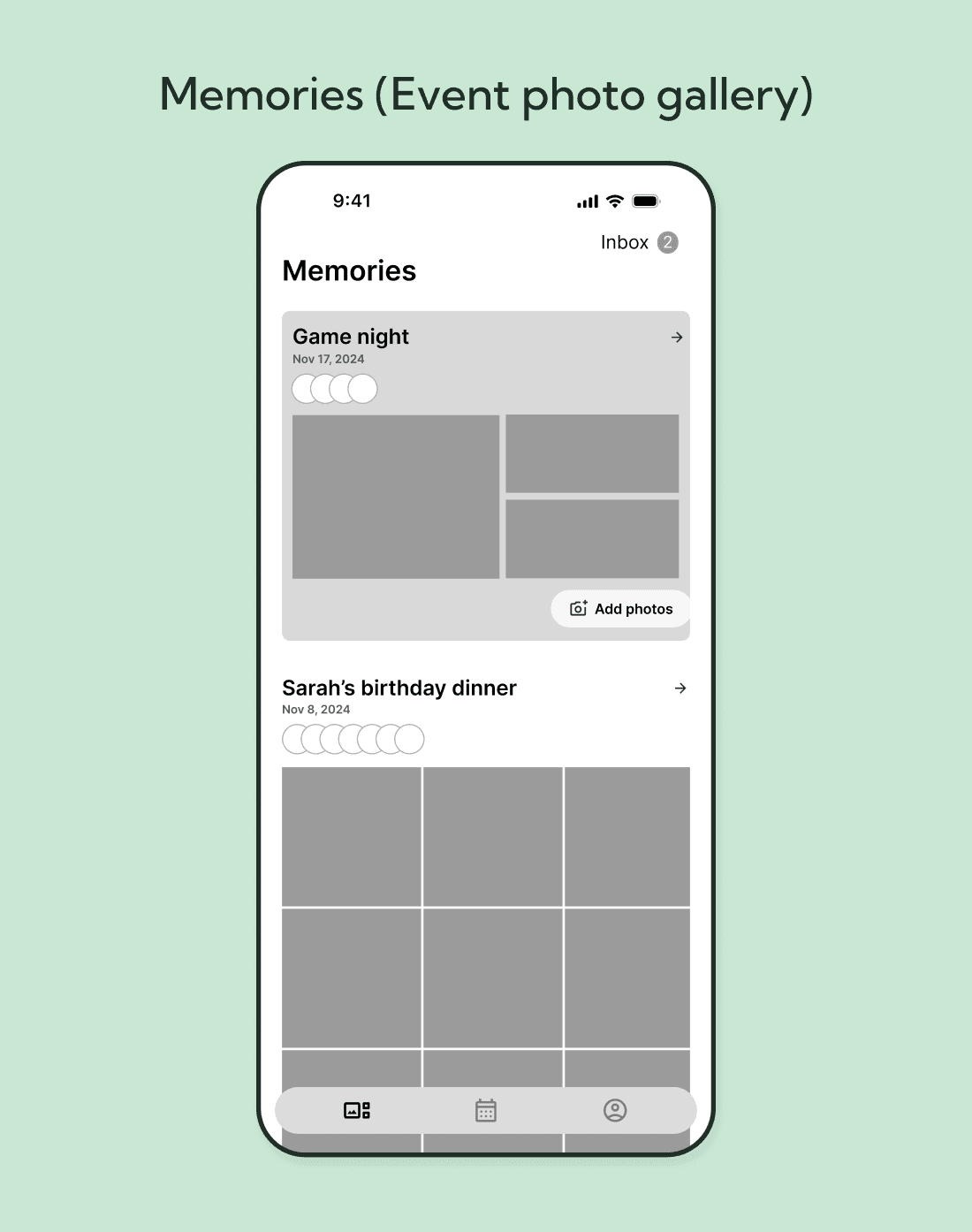
Our main area of focus for the lo-fi prototype was identifying key features and content, mapping out the user flow and laying out the foundation of the app. We also approached designing our core feature: finding the perfect time with our event creation process where users can compare calendar availability.
Usability testing takeaways
Simplify the visual design of the time selection feature - many users found difficulty differentiating when someone was available or unavailable
Reconsider the placement of our notifications inbox - it became a bit lost and could be its own page for updates
Having a place in the app for communication would be a valuable feature - from our initial research we found that communication around planning an event can become hectic when it happens in group chats
Mid Fidelity Prototype
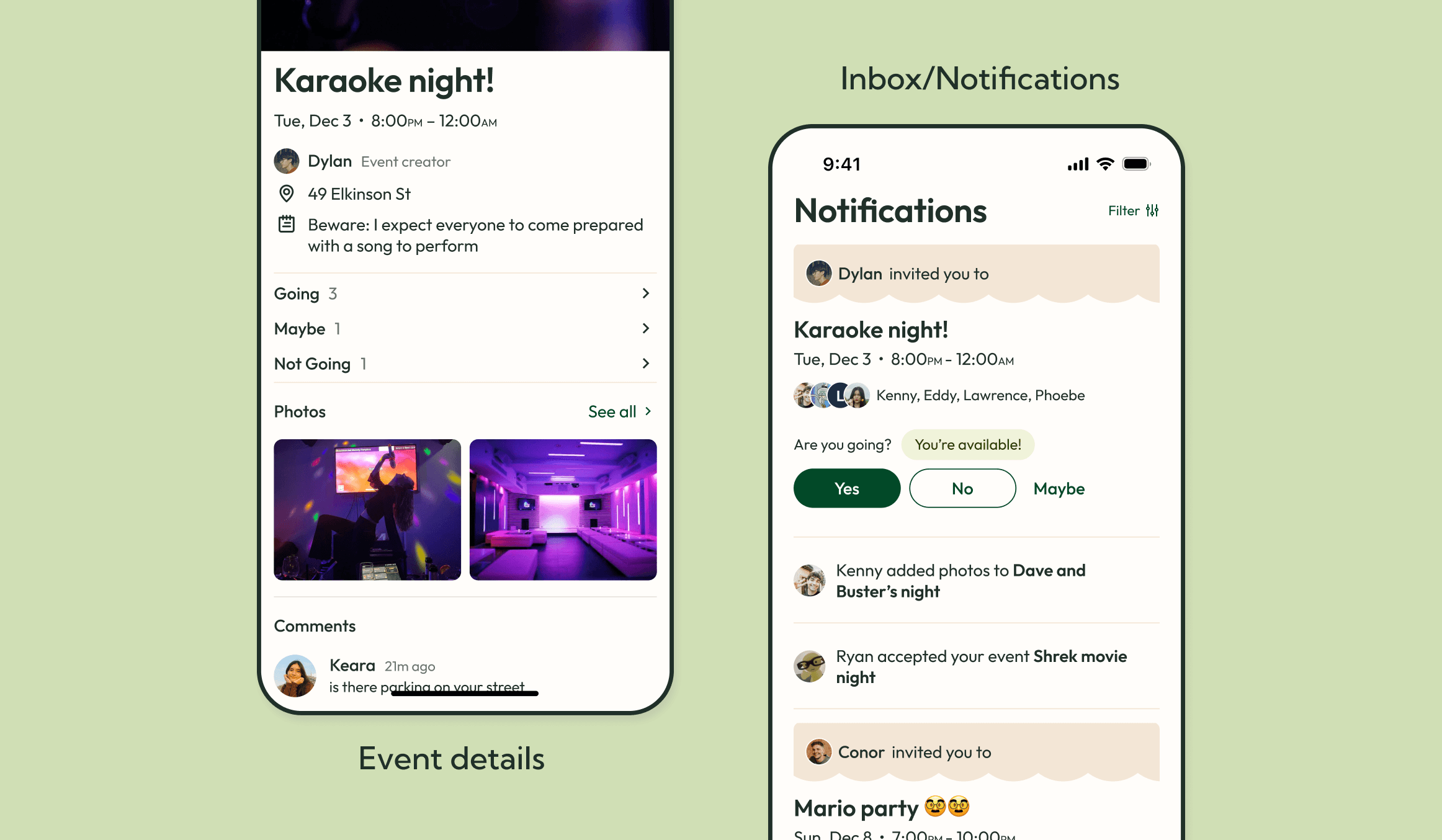
Our goals for the mid-fidelity prototype were to explore clearer and more intuitive ways to present a time selection feature so users can easily select the best time for an event. The prototype also aims to enhance event invitations with more relevant information, such as everyone's RSVP status, date/time/location, and notes and comments. We also began to explore a warm color palette and a scrapbook-type UI style.
Usability testing takeaways
After testing, we realized we were at a crucial point in our design process – our core feature, which is supposed to be the highlight of how easy event planning can be with Juncture, was getting lost in our UI and was still a bit difficult for our testing subjects to understand and get the hang of it
We were also at a point where we needed to strengthen our UI structure and had to revisit content organization (spacing, typography combinations, visual elements and guidelines) to make the app feel more cohesive and comprehensive at a glance
High Fidelity Prototype
Our goals for the mid-fidelity prototype were to explore clearer and more intuitive ways to present a time selection feature so users can easily select the best time for an event. The prototype also aims to enhance event invitations with more relevant information, such as everyone's RSVP status, date/time/location, and notes and comments. We also began to explore a warm color palette and a scrapbook-type UI style.

The final product
Juncture's foundation:
The calendar
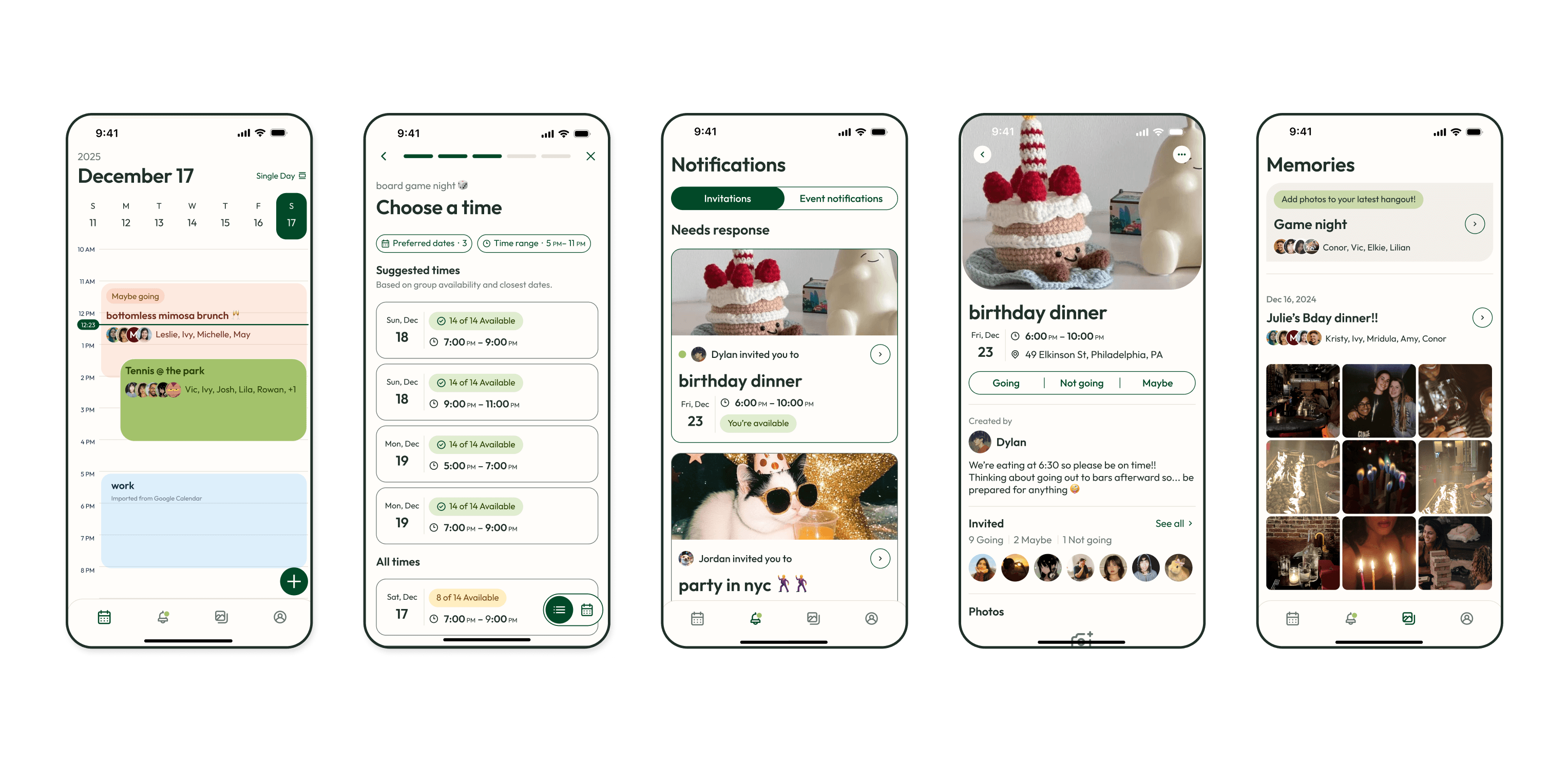
The foundation of Juncture is a calendar that holds both your Juncture events and your personal Google calendar. We've included the ability to sync your Google calendar account to help reflect an accurate representation of when you are busy, which helps the time selection feature suggest more viable times for you and your friends.
The calendar has three views: single view, three day view, and month view for different viewing experiences. Juncture events reflect your RSVP status and show the most vital information at a glance – including what the event is, who's going, and when it will be.
The final product
What makes Juncture special is the time selection feature. We wanted to make finding the perfect time for a hangout with friends as easy as possible, and to do this we combined a few different solutions. After choosing which people are invited to the event, Juncture analyzes everyone's availability and shows a few suggested times. The results can be filtered by dates and time range and show how many people are available.
If you would rather prefer to manually look through everyone's availability, you can do so by toggling to the calendar view and perusing through it for a visual reference.

The final product
Event invitations
Event invitations can be accessed through both the calendar and the invitations tab in the notifications page. Invitations on the notifications page are sorted into 'Needs response', 'Responded', and 'Your past events' and show the vital information – what the event is, date and time, event owner, and your availability. The expanded invitation allows you to update your RSVP and shows you who's going, any notes from the event owner, the photo album, and a comments section for any discussion about the event.
The final product
Our research found that most people value sharing and preserving memories. We created a page where Juncture events automatically have a photo album for everyone to upload photos to. A reminder to add photos to the latest hangout sits at the top to encourage every attendee to participate in photo sharing. Photos can be downloaded from the album, and event attendees can type comments to photos for interactive engagement.

Reflection
What this project has taught me
Working on this project from start to finish over an entire school year was incredibly fulfilling and was worth the challenge. Developing Juncture as a UX designer has taught me how important it is to ask right questions to find what would be most valuable to the users we're designing for, and how to make digital experiences easy to use and understand.
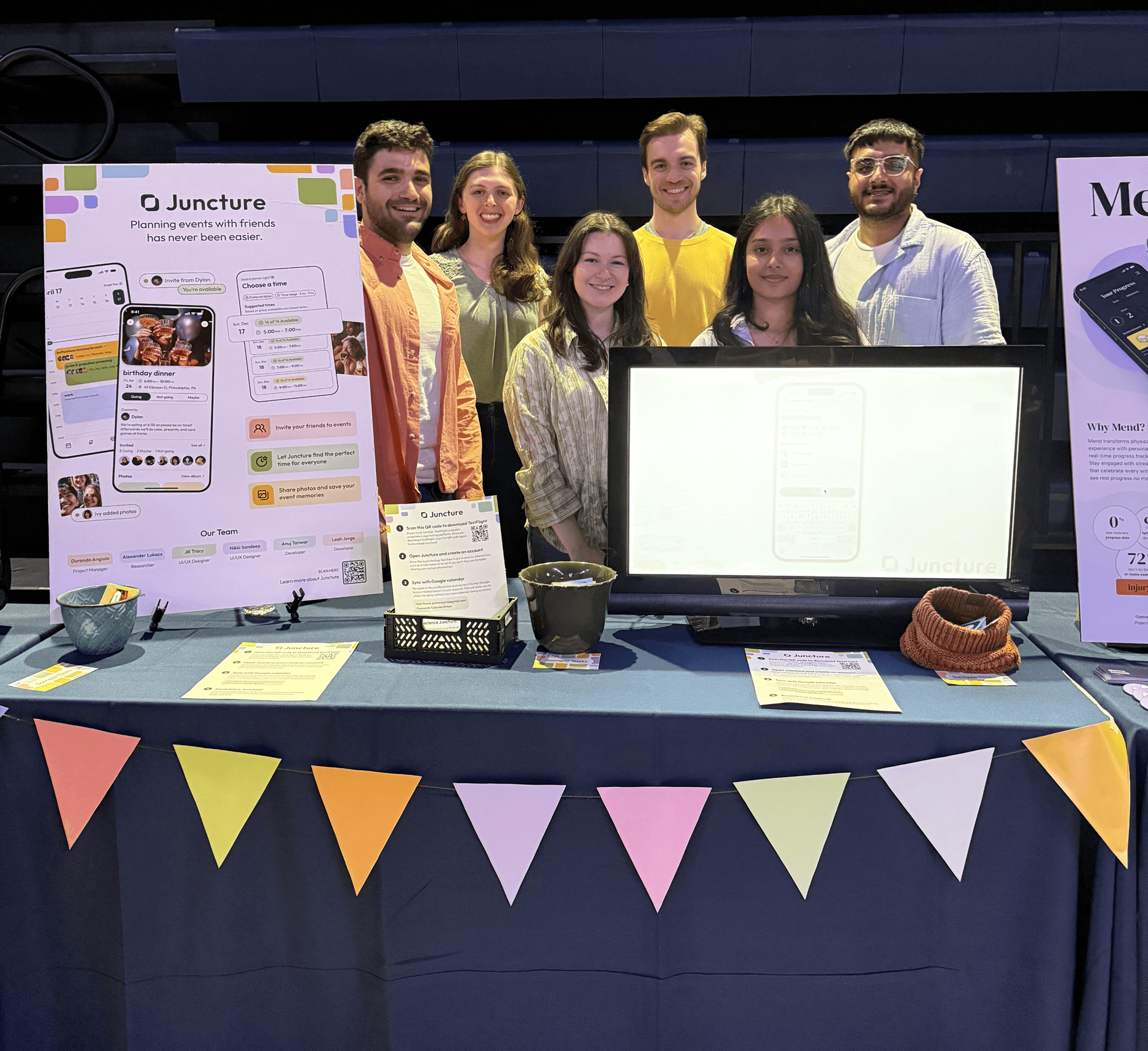
I'm immensely grateful to have been able to work with a passionate and diligent team throughout the entire process. Whether it was brainstorming ideas for our app, handing off designs to the development members, practicing our final presentation over and over again, or chatting after meetings, I've had an amazing time collaborating with this team and seeing our project grow.
Check out our final presentation!


what i worked on
Led UX design
Established a component-based design system
Prototyped the application
Prepared designs for dev hand-off
Supported user research
Conducted user interviews and usability testing
Synthesized data for design decisions
Developed a brand identity
Founded a core brand identity for the app
Made marketing materials to represent the Juncture brand
business model
…

Invite friends
Add friends and send invitations for centralized event planning
Auto calendar compare
Sync your Google calendar and let Juncture find the perfect time for everyone