KPI Widget Designs
A self-lead project for Agilence Inc. where I redesigned the KPI widgets for customers to more efficiently and quickly have access to relevant and insightful information. This project required thorough user and market research and an iterative design process.
Duration
2023 - 2024
Client
Agilence Inc.
Services
Senior capstone project
UI/UX design
UX research
Brand strategy
Context + Challenge
During my co-op at Agilence Inc., I led a project to design new versions of KPI widgets used on dashboards to track and manage loss prevention objectives. The widget feature was outdated and needed to be redesigned to improve both functionality and update its appearance to match modern standards.
My role
UX Research - Dive into research on clients' needs with widgets and market research for existing solutions
UI Design - Lead design iterations to match industry standards and simplify visual aids
Presenting findings to teams - Present my progress and findings in cross functional teams (product, engineering, customer success, marketing) and received feedback for improvements and further insight

An intro to Agilence Inc:
Agilence Inc. helps companies reduce shrink and increase their profit margins by targeting loss prevention operations and has a variety of customers (retail, restaurant, grocery, etc.). Agilence Inc. provides their customers with a software that helps them methodically track all interactions to help find where losses can be targeted and stopped. My role at Agilence during my co-op was to help customers build reports more efficiently by redesigning different features on the product side.
The big idea
The dashboard widgets used by Agilence (which feature KPI's to help clients track and manage their company's loss prevention initiatives) were outdated and needed to be redesigned to include more relevant and useful information and to also adhere to more modern design styles.
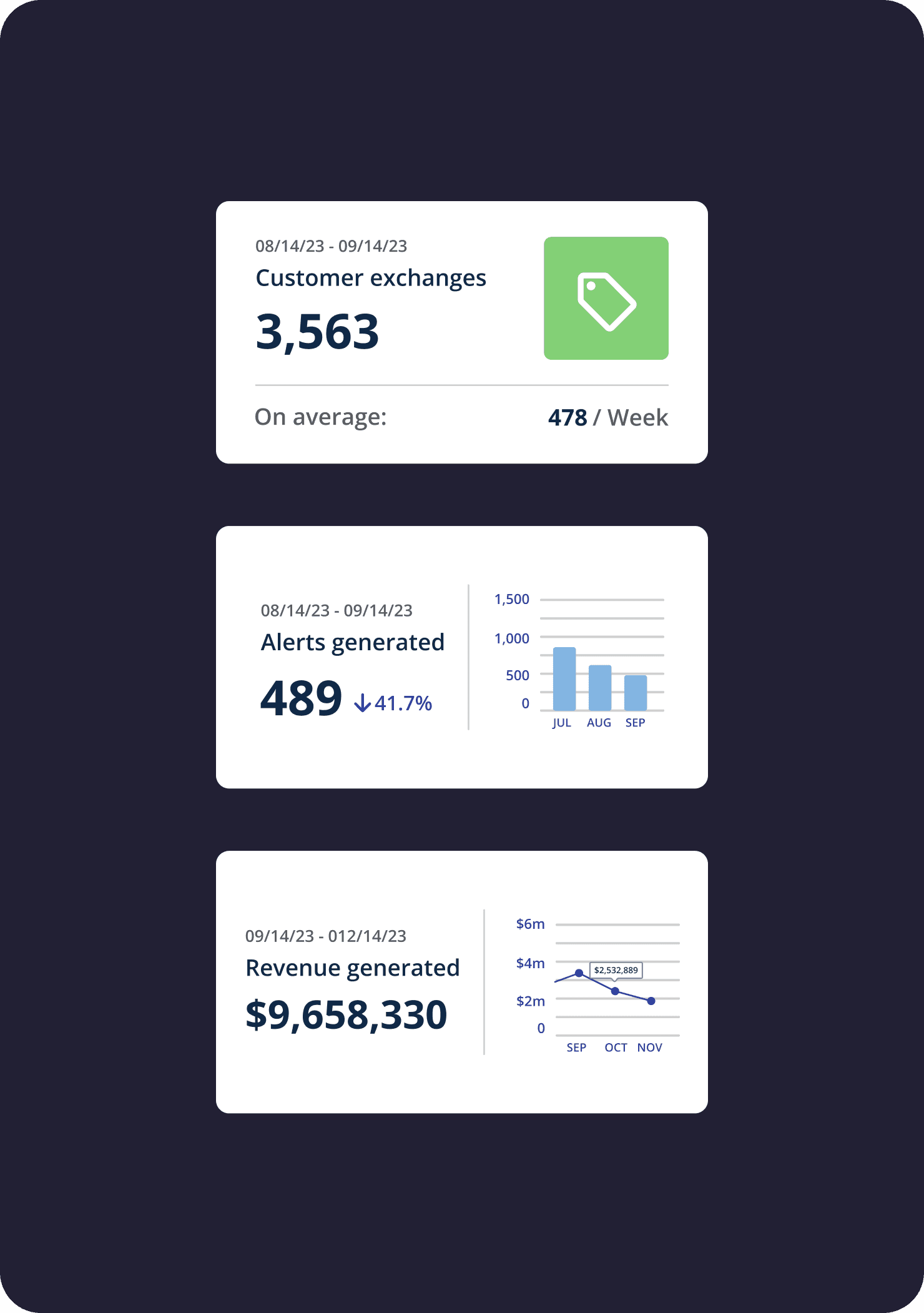
Before
After


Little information on data insights
Too many background color options
No point of reference for values to support data impact takeaways
Key metrics paired with supporting metrics for comparison
Consistent with brand aesthetics
More options for a visual aid to support data (Ex. graph, icon, metric)
The starting point
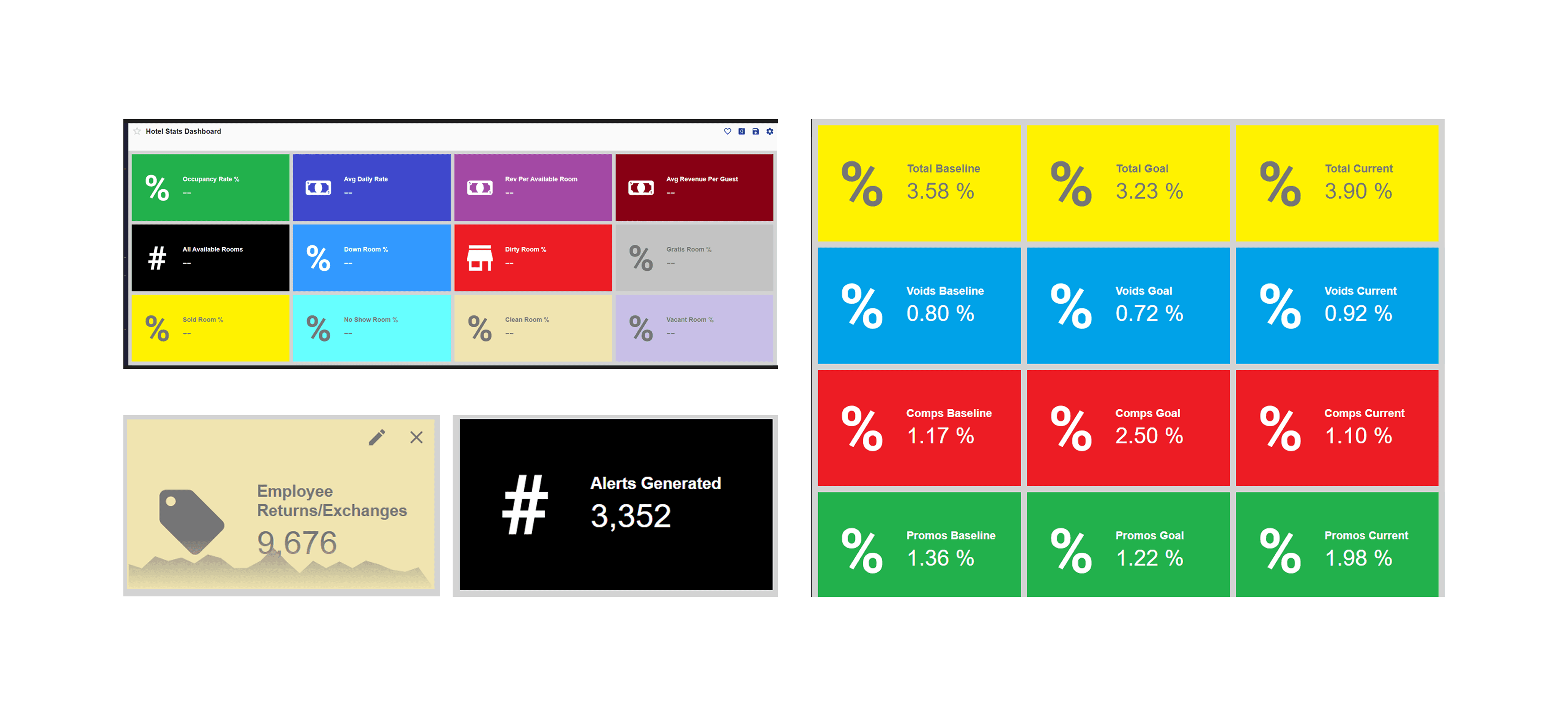
Key issues of the pre-existing widgets
There were too many options of background color for the widgets, making them distracting when there were many multi-colored widgets next to each other
There wasn’t enough valuable content to take away! The role of a widget is to provide key information at a glance, but the pre-existing widgets had one key metric and categorical icon
The only additional information (enabled by toggle) available was a graph line that overlayed on the widget and had no point of reference of values to explain what it represented
UX Research
Planning my research process
First things first: I needed to know what KPI widgets were before I could even begin to design. Before this project, I worked on different features of the software and didn't have a lot of knowledge about retail products or what KPI even meant (it stands for key performance indicator). Understanding the purpose of KPI widgets, who the users are, and the different kinds of features/elements it can show was the first step I had to take.
UX Research
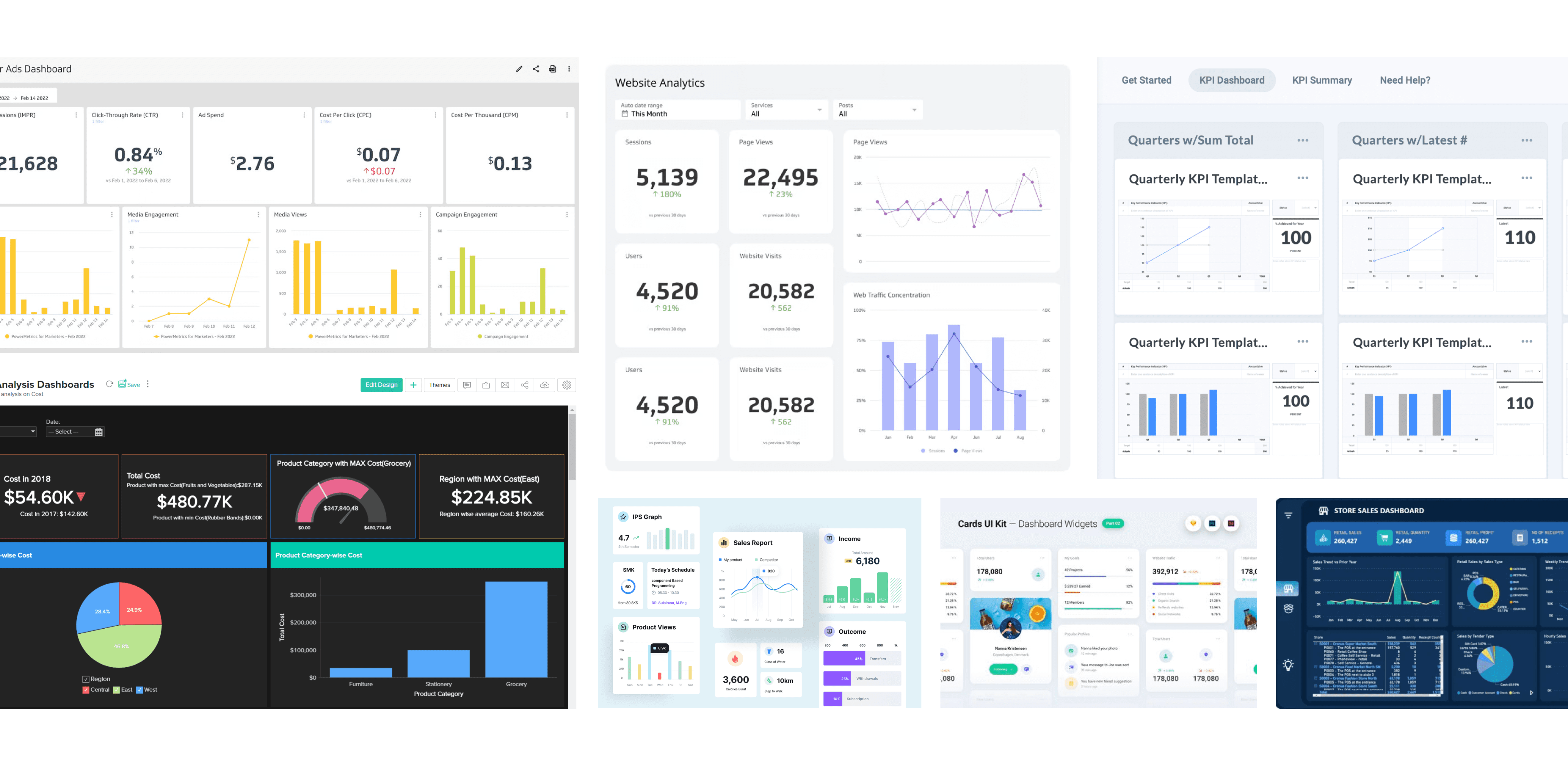
My market research findings
My market research findings
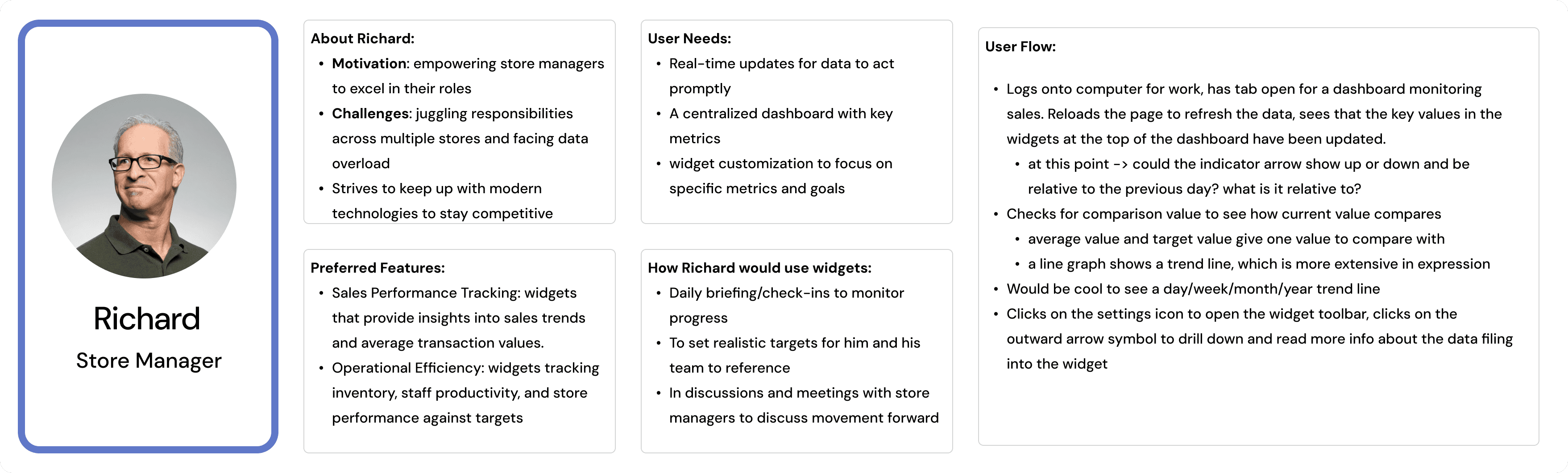
Identifying the features to include on the widgets relied on what the user's goals are. In order to understand who the target audience for these KPI widgets were, I spoke with different colleagues on the customer success team. Asking questions like 'for those who regularly use the dashboard, what positions or roles do they have within their company', 'what are day-to-day goals versus long term foals for these specific users', and 'what are the top motivators for someone to open a dashboard' helped me learn the intentions of the user base. It was also really insightful to ask about examples of how different existing customers used the widgets–some were really creative with how they created and organized them.
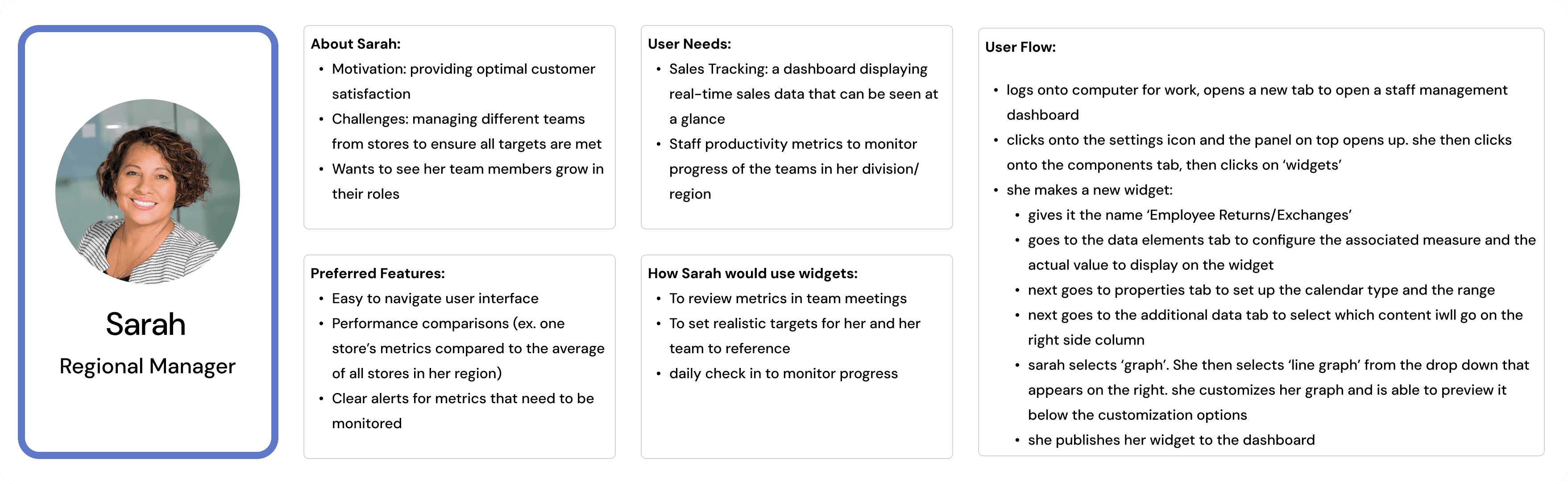
DATA AND LOGISTICS
Configuration + user setup of widgets
After pinpointing user needs with this feature, I wanted to outline the process for how a user would set up and customize a widget. I met with the development team to better understand how the setup works based on the software we were using and then created a flow chart of how a user may set up a widget and what types of data they would include.

I then created a mockup which added new customization features to the widget setup dialog, including a section to select supplemental data, further customization of the chosen supplemental data, and a preview of the graph/chart if that was the feature chosen.

UI Design
Design: Phase 01
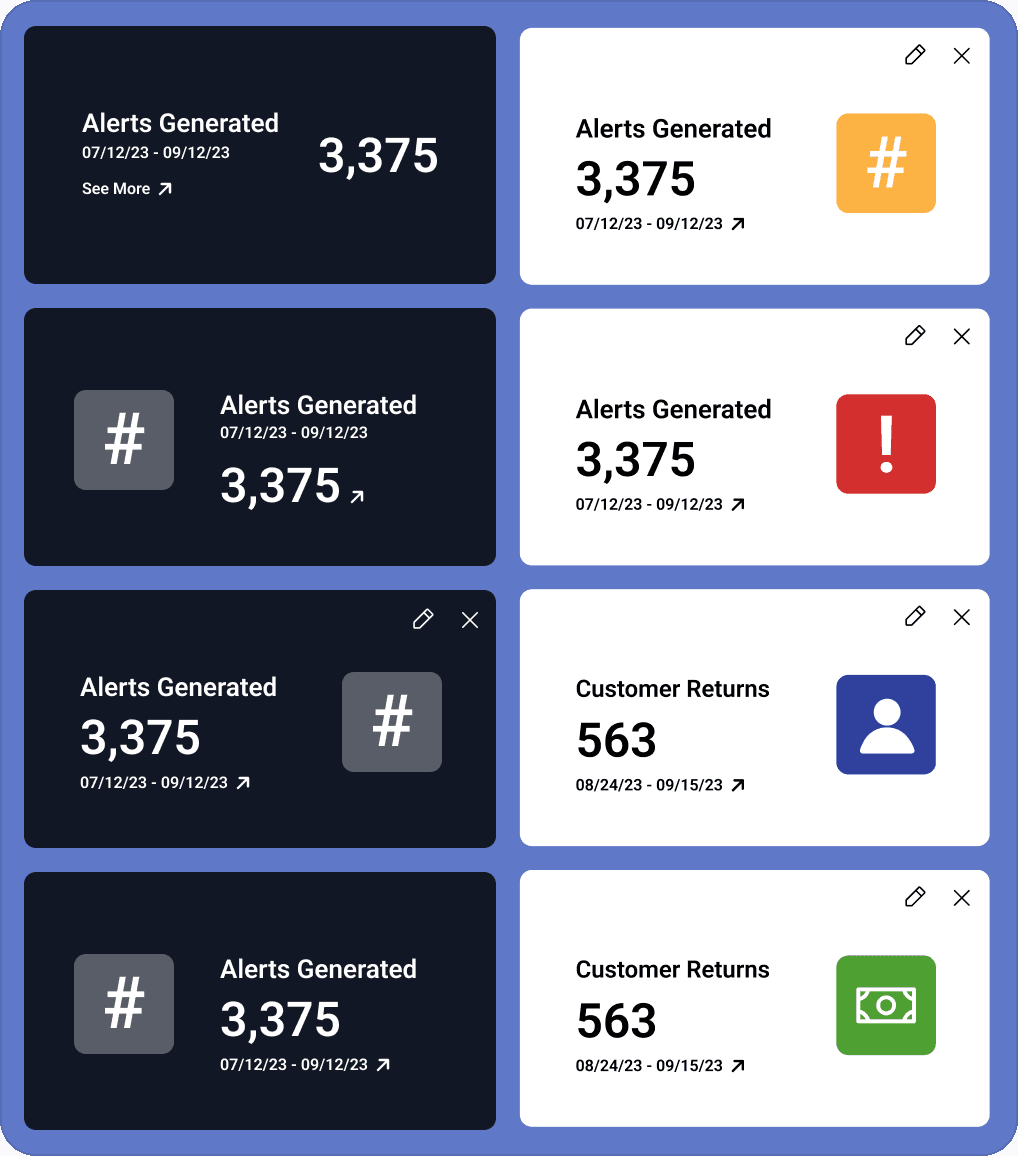
My first pass of design was one I had actually done prior to my research process. I wanted a version of quick design where I applied my initial ideas for improvement for the original widgets before diving into research-based design. Here I experimented with simple layouts and colors.
UI Design
Design: Phase 02
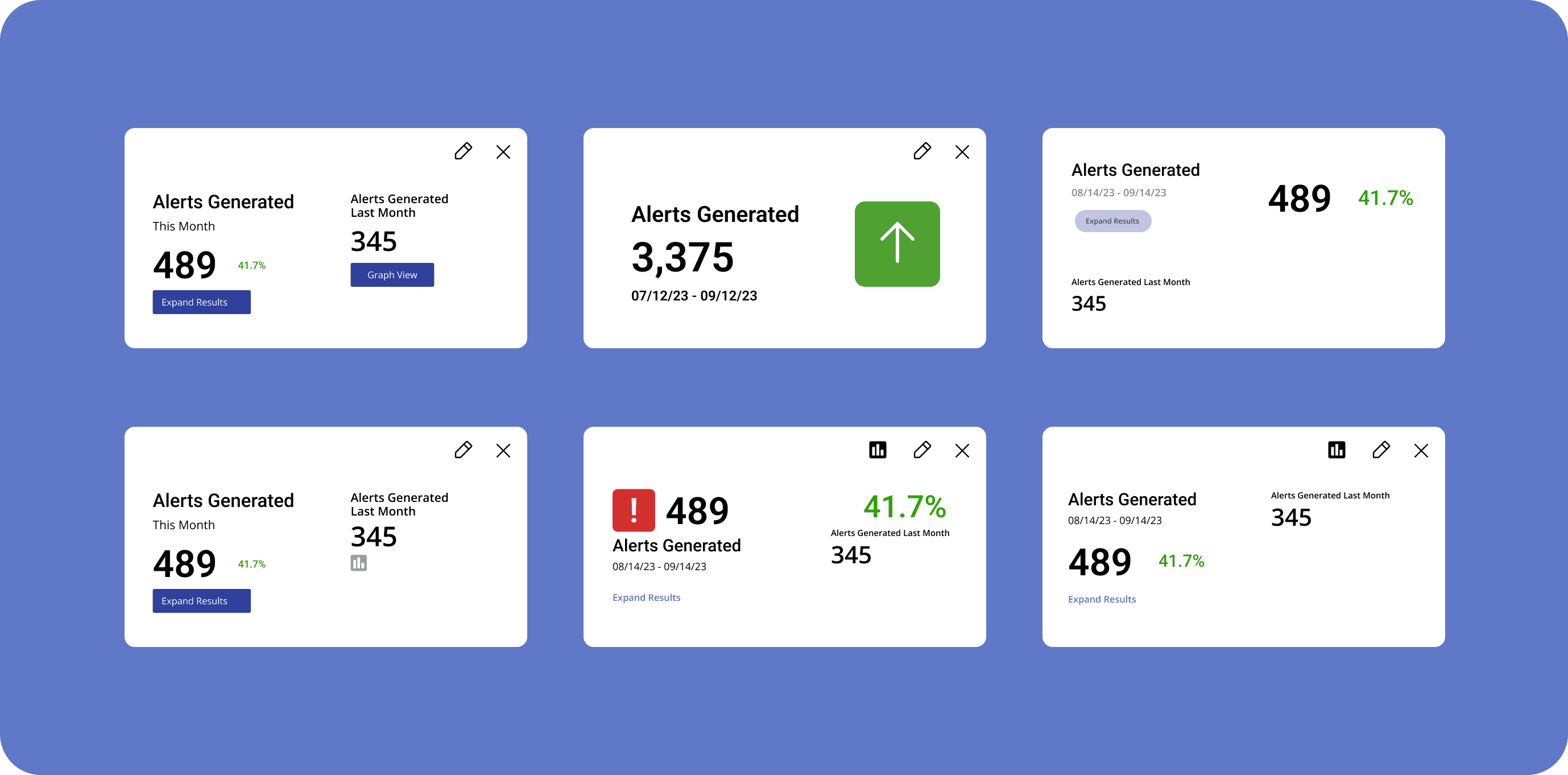
For this phase I set aside physical aesthetics in favor of exploring the different data feature combinations. Below are some of the my results after combining key metrics with iconography, a comparative metric, a button to drill down into the full report, and supplemental statistics.
UI Design
Design: Phase 03 + the final product
Phase three of design was a longer iteration cycle of asking widget logic questions to different teams, getting design critiques from the product team, and honing in on the widget designs.

UI Design
The final product
The final product below is a mockup of how the widgets sit within the dashboard. They provide quick statistics at the top of the dashboard to be read quickly and easily, and can be customized with different statistics and data visuals when the user goes into edit mode.

Reflection
What this project has taught me
I loved working on this project because of how hands on it was. It was a challenge to get down to the details of understanding what different users of the widgets would need, and working with different teams (customer success, product, engineering) really helped with understanding the bigger picture. I found that I love to ask many questions and test limits for a design to see what's truly possible.